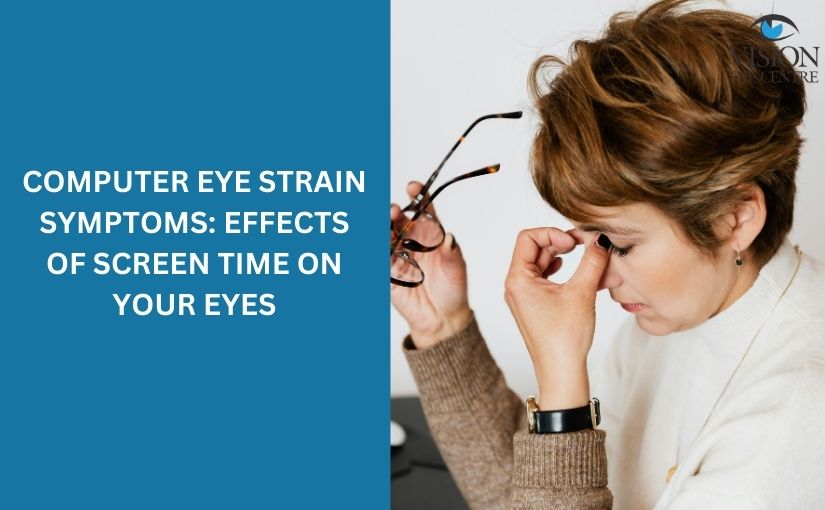
In today’s digital world, screens have become a constant part of daily life. From office work and online meetings to mobile browsing and streaming, people spend several hours staring at screens. While technology makes life easier, excessive screen exposure can affect eye health.
One of the most common problems associated with prolonged digital device use is computer eye strain. Understanding computer eye strain symptoms: effects of screen time on your eyes can help individuals recognize early warning signs and take preventive steps before the condition worsens.
What Is Computer Eye Strain?
Computer eye strain, often referred to as digital eye strain, occurs when the eyes become tired or uncomfortable after prolonged use of digital devices such as:
-
Computers
-
Laptops
-
Smartphones
-
Tablets
-
Television screens
Unlike reading printed text, looking at digital screens requires more effort from the eyes due to glare, contrast issues, and constant focusing.
Common Computer Eye Strain Symptoms
Recognizing early computer eye strain symptoms is essential to prevent long-term eye discomfort. Some of the most common symptoms include:
-
Dry or irritated eyes
-
Blurred vision
-
Eye fatigue
-
Headaches
-
Burning sensation in the eyes
-
Difficulty focusing
-
Sensitivity to light
-
Neck and shoulder pain
These symptoms may appear after several hours of screen use and often improve after resting the eyes.
How Screen Time Affects Your Eyes
The effects of screen time on your eyes can vary depending on screen brightness, viewing distance, posture, and duration of use.
Reduced Blinking Rate
When people use digital devices, they tend to blink less frequently. Normally, a person blinks around 15–20 times per minute, but during screen use, this can drop significantly.
Reduced blinking can cause:
-
Dry eyes
-
Irritation
-
Increased discomfort
Increased Eye Focus Effort
Screens require continuous focusing and refocusing. This constant adjustment puts extra pressure on the eye muscles.
Over time, this can lead to:
-
Eye fatigue
-
Temporary blurred vision
-
Difficulty concentrating
Blue Light Exposure
Digital screens emit blue light, which can contribute to eye strain. Excessive exposure to blue light may also affect sleep patterns by disrupting the body’s natural sleep cycle.
Risk Factors That Increase Computer Eye Strain
Certain habits and environmental factors can increase the risk of developing computer eye strain.
Long Working Hours on Screens
Professionals who spend 6–8 hours daily on computers are more likely to experience eye discomfort.
Poor Screen Position
Incorrect screen placement can force the eyes to work harder. Screens placed too high, too low, or too close can increase eye strain.
Improper Lighting
Working in dim lighting or excessive glare from windows and lights can make it difficult for the eyes to focus on the screen.
Uncorrected Vision Problems
Individuals with untreated vision issues, such as nearsightedness or farsightedness, may experience stronger symptoms when using digital devices.
For individuals experiencing persistent symptoms, consulting specialists at the best eye hospital in Delhi or a qualified ophthalmologist may help identify underlying vision problems.
Long-Term Effects of Excessive Screen Time
Occasional eye strain is usually temporary, but continuous exposure without breaks may lead to ongoing problems.
Possible long-term effects include:
-
Chronic dry eyes
-
Frequent headaches
-
Reduced work productivity
-
Increased visual discomfort
-
Difficulty focusing on distant objects
People who ignore early computer eye strain symptoms may find that the condition becomes more persistent over time.
How to Reduce Computer Eye Strain
Fortunately, several simple practices can reduce the effects of prolonged screen use.
Follow the 20-20-20 Rule
One of the most effective ways to reduce eye strain is the 20-20-20 rule:
-
Every 20 minutes
-
Look at something 20 feet away
-
For at least 20 seconds
This helps relax eye muscles and reduce fatigue.
Adjust Screen Settings
Optimizing screen settings can improve visual comfort.
Recommended adjustments include:
-
Reduce screen brightness
-
Increase text size
-
Use high contrast display settings
-
Enable night or blue-light filters
Maintain Proper Screen Distance
The screen should ideally be positioned:
-
About 20–28 inches away from the eyes
-
Slightly below eye level
This allows the eyes to maintain a more natural viewing angle.
Improve Lighting Conditions
To minimize glare and strain:
-
Use indirect lighting
-
Avoid reflections on the screen
-
Position the monitor away from bright windows
Blink More Frequently
Conscious blinking helps maintain natural eye moisture and prevents dryness.
Some people also benefit from lubricating eye drops, but these should be used after professional consultation.
When Should You See an Eye Specialist?
Occasional eye strain is common, but certain symptoms should not be ignored.
Seek professional eye care if you experience:
-
Persistent blurred vision
-
Severe headaches during screen use
-
Continuous dry or watery eyes
-
Difficulty focusing even after rest
In such cases, evaluation at the best eye care hospital in Delhi or consultation with experienced ophthalmologists may help determine the exact cause.
Many individuals also seek regular eye examinations at a best eyecentre in Delhi to monitor vision health and detect early problems related to digital eye strain.
Preventing Eye Strain in the Digital Age
With remote work, online learning, and increasing smartphone use, avoiding screens completely is unrealistic. However, adopting healthy digital habits can make a significant difference.
Preventive steps include:
-
Taking regular screen breaks
-
Maintaining correct posture
-
Using anti-glare screens
-
Scheduling routine eye check-ups
-
Limiting unnecessary screen exposure
Awareness of computer eye strain symptoms: effects of screen time on your eyes is the first step toward protecting long-term eye health.
FAQs
1. What are the early signs of computer eye strain?
Early signs include dry eyes, blurred vision, headaches, eye fatigue, and difficulty focusing after prolonged screen use.
2. Can too much screen time damage your eyes permanently?
Excessive screen time typically causes temporary discomfort, but continuous strain without breaks may contribute to long-term eye problems.
3. How many hours of screen time is safe for the eyes?
There is no fixed limit, but experts recommend taking frequent breaks and following the 20-20-20 rule when using screens for long periods.
4. Do blue light glasses help reduce eye strain?
Blue light glasses may reduce glare and visual discomfort for some users, but they are not a complete solution for preventing eye strain.
5. When should someone consult an eye doctor for screen-related eye problems?
If symptoms like blurred vision, severe headaches, or persistent eye discomfort continue despite taking breaks, it is advisable to consult an eye specialist.
Conclusion
Digital devices are an unavoidable part of modern life, but prolonged screen exposure can affect eye comfort and visual health. Understanding computer eye strain symptoms: effects of screen time on your eyes allows individuals to recognize warning signs early and take preventive steps.
Simple habits such as taking regular breaks, adjusting screen settings, improving lighting, and maintaining proper viewing distance can significantly reduce eye strain. By adopting these practices and staying aware of changes in vision, individuals can protect their eyes even in a screen-dominated environment.